
Communication Strategies That Work for Remote Tech Teams (And Your Family)
Learn how to communicate effectively in remote work settings while modeling healthy communication patterns for your kids. Practical tips for async communication and meeting management.
The Communication Challenge
Remote work requires different communication skills than in-person work. As a WFH parent, you're not just communicating with your team—you're modeling communication patterns for your kids. Getting it right matters for both your career and your family.
Async-First Communication
Why Async Matters
- Respects time zones: Your team might be spread across the globe
- Reduces interruptions: Lets people focus during deep work
- Creates documentation: Written communication creates a record
- Models patience: Shows kids that not everything needs an immediate response
Best Practices
1. Write Clear, Actionable Messages
- Start with the purpose
- Include context
- Specify what you need
- Set expectations for response time
Bad example:
"Can we talk about the project?"
Good example:
"Need your input on the authentication flow. Context: Users are reporting login issues. Question: Should we add 2FA now or in v2? No rush—by EOD Friday works."
2. Use the Right Channel
- Slack/Teams: Quick questions, status updates, casual chat
- Email: Formal requests, documentation, external communication
- Project management tools: Task assignments, progress tracking
- Video calls: Complex discussions, relationship building
3. Set Communication Norms
- Response time expectations (e.g., "I check Slack twice daily")
- When to escalate to a call
- How to indicate urgency
- Availability hours
Meeting Management
Before the Meeting
- Send agenda: Give people time to prepare
- Share materials: Read ahead of time, not during
- Set clear purpose: What decision needs to be made?
During the Meeting
- Start on time: Respect everyone's schedule
- Stay focused: No multitasking (kids notice this)
- Take notes: Share with team afterward
- End early if done: Don't fill time just because it's scheduled
After the Meeting
- Send summary: What was decided? Who owns what?
- Follow up: Check in on action items
- Update documentation: Don't let decisions live only in meeting notes
Setting Boundaries
Availability Windows
- Core hours: When you're generally available (e.g., 9 AM - 3 PM)
- Deep work blocks: When you're unavailable (mark in calendar)
- Family time: Clearly communicate when you're offline
Example Slack status:
🚀 Deep work until 2 PM | Available for emergencies | Back online at 2:30 PM
Response Time Expectations
- Urgent: Within 1 hour (define what "urgent" means)
- Normal: Within 24 hours
- Low priority: Within 3-5 business days
Pro tip: Set these expectations explicitly. Don't assume people know your availability.
Documentation as Communication
Why It Matters
- Reduces repeated questions
- Onboards new team members faster
- Creates institutional knowledge
- Models organization for your family
What to Document
- Decisions: Why did we choose this approach?
- Processes: How do we do X?
- Context: What background information is needed?
- Changes: What changed and why?
Documentation Tools
- Notion or Confluence: Team knowledge base
- GitHub Wiki: Technical documentation
- Google Docs: Collaborative documents
- Loom: Video explanations for complex topics
Handling Difficult Conversations Remotely
When to Use Video
- Performance reviews
- Conflict resolution
- Sensitive topics
- Relationship building
Tips for Hard Conversations
- Schedule intentionally: Not at end of day when everyone's tired
- Use video: Body language matters
- Prepare: Write down key points
- Listen actively: Don't multitask
- Follow up in writing: Confirm understanding
Modeling Communication for Your Family
What Kids Learn from Your Work Communication
- How to express needs clearly
- How to set boundaries respectfully
- How to handle disagreements
- How to ask for help
Practical Applications
- Family meetings: Apply work meeting structure to family planning
- Written communication: Leave notes for family members (like async communication)
- Boundary setting: "I'm in a meeting until 3 PM, then we can play"
- Active listening: Put devices away during family conversations
Tools That Help
Communication Platforms
- Slack: Team chat and collaboration
- Microsoft Teams: Integrated with Office 365
- Discord: Popular with developer communities
Project Management
- Linear: Fast, developer-friendly
- Jira: Enterprise-grade
- Asana: User-friendly for non-technical teams
Documentation
- Notion: All-in-one workspace
- Obsidian: Personal knowledge management
- GitBook: Technical documentation
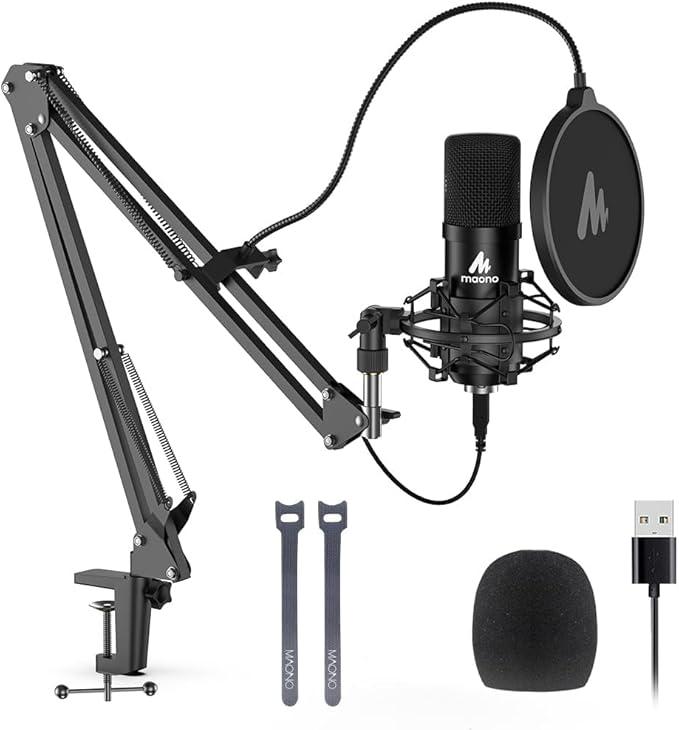
USB Microphone with Adjustable Arm
Professional audio quality for video calls and meetings. The adjustable boom arm keeps your desk clear while reducing background noise pickup. Essential for WFH parents who need crystal-clear communication during important calls.
As an Amazon Associate, we earn from qualifying purchases. This helps support our blog at no extra cost to you.
 Trusted marketplace
Common Mistakes to Avoid
- Over-communicating: Not everything needs a message
- Under-communicating: Don't assume people know what you're thinking
- Using wrong channel: Don't have complex discussions in chat
- Ignoring time zones: Be mindful of when you're sending messages
- Not setting boundaries: Leads to burnout and resentment
Your Communication Action Plan
- Audit your current communication: What's working? What's not?
- Set clear expectations: Communicate your availability and response times
- Improve one channel: Pick Slack, email, or meetings and optimize it
- Document more: Start writing down decisions and processes
- Model for your family: Apply work communication skills at home
Remember: Great remote communication isn't about being available 24/7. It's about being clear, respectful, and effective when you do communicate. Those are skills that serve you well at work and at home.