Your Second Brain Setup: How to Stop Losing Good Ideas While You're Coding
Developers context-switch constantly — and every switch is a chance to lose a good idea forever. Here's how to build a second brain system that captures thoughts in seconds, surfaces them when you need them, and costs almost zero cognitive overhead to maintain.
The Best Idea You Had Last Week Is Gone
You know the moment.
You're three layers deep into a debugging session.
Something clicks — not about the bug, but about a completely different problem. An architectural insight. A better way to structure the onboarding flow. The reason the API design from six months ago keeps causing friction.
It's a good idea. Maybe a genuinely good one.
You tell yourself you'll write it down when you surface from this.
You don't.
By the time the bug is fixed and the PR is up, the idea has dissolved back into whatever background process generated it. You can feel the shape of it — you know it existed — but the content is gone.
This happens to every developer who doesn't have a capture system.
Not occasionally. Constantly.
Because the cognitive state that produces good ideas — the loose, associative, pattern-matching mode your brain enters during deep work — is exactly the state that makes those ideas feel permanent and obvious in the moment. They're not. They're fragile. They need to be written down within minutes or they're gone.
The second brain isn't a productivity gimmick.
It's infrastructure for the kind of thinking that actually moves your work forward.
What a Second Brain Actually Is (And Isn't)
The term was popularized by Tiago Forte's book Building a Second Brain, but the concept is older and simpler than the branding suggests.
A second brain is an external system — digital or analog — that:
- Captures information and ideas before they disappear
- Organizes them in a way you can actually find later
- Surfaces them at the moment they become relevant
- Costs almost nothing to maintain — or it won't get used
That last point is the one most systems get wrong.
A second brain that requires significant time and discipline to maintain is not a productivity system. It's a second job. And like most second jobs, it gets abandoned when the primary job gets busy.
The system you build has to be frictionless enough to use at 11 PM when you're tired, in the middle of a focus block, or on your phone in a parking lot.
If it's not that easy, it won't stick.
The Three Problems a Second Brain Solves
Before choosing tools, it's worth being precise about what you're actually trying to fix.
Most developers have three distinct capture problems:
Problem 1: Fleeting ideas that disappear The insight during deep work. The thing you remembered in the shower. The refactor approach that occurred to you during standup. These need to be captured in under 10 seconds or they're gone.
Problem 2: Reference material you can never find The Stack Overflow answer you found six months ago that solved a specific problem. The architecture diagram from that conference talk. The internal doc that explains why the auth system works the way it does. You know it exists. You spend 20 minutes finding it every time.
Problem 3: Half-formed thinking that never gets developed The idea that was too big to act on immediately, got captured somewhere, and then sat there forever — never developed, never connected to related ideas, never turned into something useful.
Different tools solve different problems. The best second brain setups address all three, but with different layers of the system.
The Tools Worth Knowing
For Capture: Apple Notes / Google Keep / Drafts
The capture layer has one job: zero friction.
It needs to open in under two seconds, accept text immediately, and sync everywhere. That's it. Organizational sophistication at the capture layer is the enemy — it adds friction that breaks the habit.
Apple Notes is the right answer for most people in the Apple ecosystem. It's already installed, opens instantly, syncs silently, and has a widget for one-tap access from your iPhone lock screen. Search is fast and reliable. It is not glamorous. That's why it works.
Google Keep is the cross-platform equivalent — works on everything, opens fast, supports quick voice notes, and syncs without fuss.
Drafts (Mac/iOS) is the power-user capture tool — it opens to a blank note immediately, before you've even thought about where the note should go. You write, then decide. The philosophy is: capture now, organize later. For developers who want keyboard shortcuts and automation hooks for routing notes into other systems, Drafts is worth the small cost.
The rule: Your capture tool should never ask you where to put something before you've written it. Capture first. Sort later. Always.
For Organization: Obsidian
Obsidian is where the second brain concept gets interesting for technically-minded people.
It's a local-first, Markdown-based note-taking app that stores everything as plain text files on your computer. No proprietary format. No vendor lock-in. Your notes are just files in a folder — readable, searchable, and portable forever.
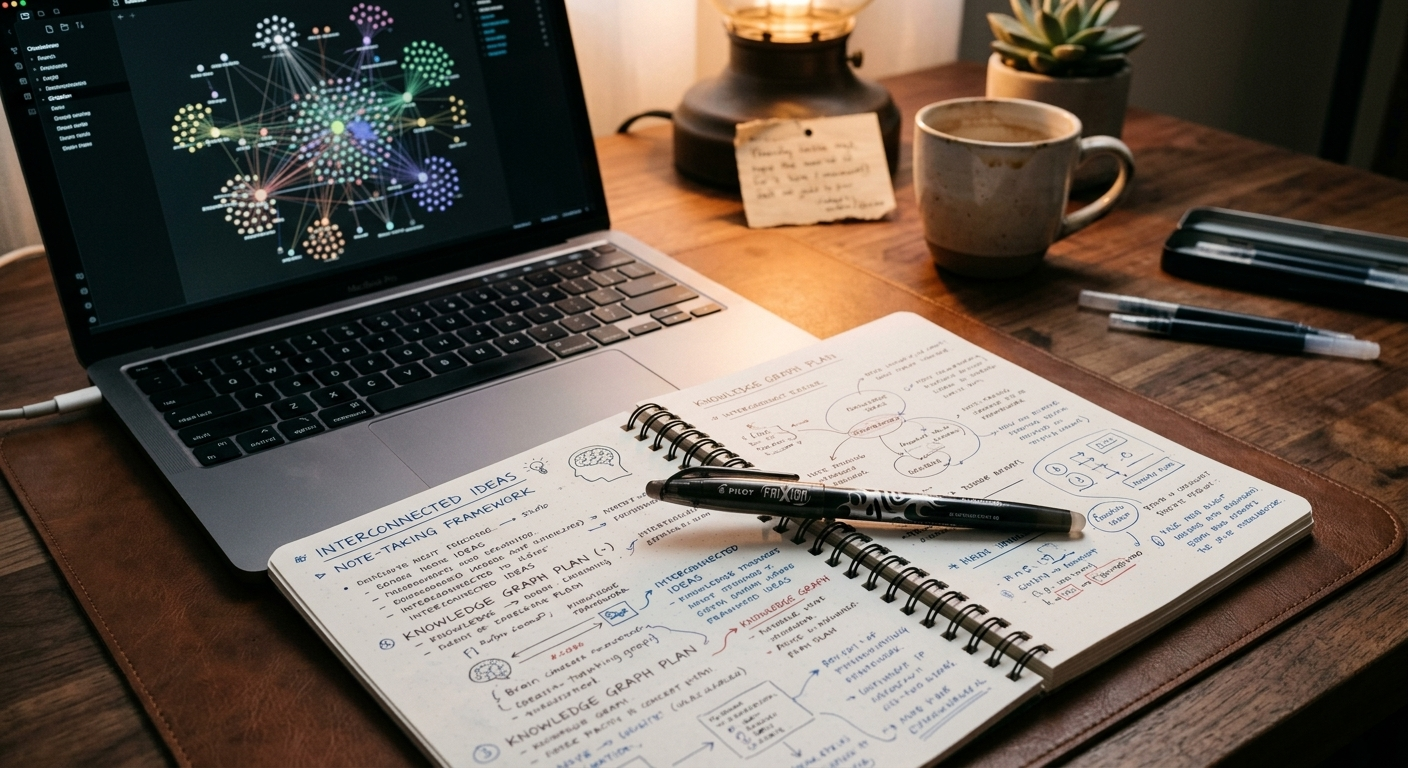
What makes Obsidian genuinely different is bidirectional linking.
In most note-taking apps, notes are islands. In Obsidian, you link notes to each other with [[double brackets]] — and the app shows you not just what a note links to, but what links back to it.
This means your notes start to form a network rather than a list.
The architectural decision you captured six months ago shows up when you're writing a new note about a related system — because you linked them. The debugging approach you figured out in March surfaces in October when you're hitting a similar pattern — because the connection exists in the graph.
For developers, the mental model maps naturally: notes are nodes, links are edges, and the graph view shows you the structure of your own thinking.
Obsidian features worth setting up immediately:
- Daily notes: A new note auto-created each day, dated and ready for capture. Becomes your working memory for the day.
- Templates: Pre-structured note formats for recurring types — meeting notes, book notes, project briefs, bug post-mortems.
- Dataview plugin: Query your notes like a database.
LIST FROM #idea WHERE status = "pending"surfaces every idea you tagged but haven't acted on. - Quick Capture shortcut: A global keyboard shortcut that opens a capture window from anywhere on your Mac, drops the text into your inbox folder, and disappears. The Drafts-style workflow, but staying inside Obsidian.
The learning curve is real but not steep. A useful Obsidian vault takes about an afternoon to set up, and the payoff compounds over months as the network of linked notes grows.
For Organization: Notion (If You Prefer Databases Over Documents)
Notion occupies a different philosophy from Obsidian — it's database-first rather than document-first, collaborative by default rather than local-first, and more structured out of the box.
For developers who think in tables, filters, and views, Notion's approach feels more natural than Obsidian's linked-document model.
Where Notion excels as a second brain:
Project tracking alongside notes. A Notion database can hold a project tracker, linked meeting notes, related resources, and a status board — all in one place, all queryable.
Team knowledge bases. If your second brain needs to be shared — onboarding docs, architecture decision records, team runbooks — Notion handles collaboration in a way Obsidian doesn't.
Templates for everything. The Notion template gallery is extensive. A solid second brain setup can be imported and running in an hour.
Where Notion struggles: the app is slower than Obsidian, the mobile experience is mediocre for quick capture, and the proprietary format means your data is less portable long-term. For personal capture and knowledge development, Obsidian is the better tool. For team-facing knowledge management, Notion wins.
The practical recommendation: Use both, differently. Obsidian for personal thinking and idea development. Notion for anything team-facing or project-structured.
For Physical Capture: The Analog Layer
Not everything needs to be digital.
There's a strong argument — backed by cognitive science research on handwriting and memory encoding — that writing by hand produces better retention and more original thinking than typing the same content.
The physical notebook isn't a nostalgia play. For developers who spend all day in front of screens, a notebook on the desk creates a friction-free capture surface that doesn't require unlocking anything, opening an app, or competing with a notification.
The workflow that works: capture on paper, transfer what matters digitally.
Not everything written in a notebook needs to live forever. Most of it doesn't. But the ideas worth keeping get transcribed into Obsidian or Notion within 24 hours — or at the weekly review.
The Rocketbook Fusion takes this workflow a step further: write on the reusable pages with a Frixion pen, scan with the app, and it OCRs your handwriting directly into Notion, Obsidian (via a folder), Google Drive, or Evernote. The physical experience of handwriting, with the searchability of digital text.
For developers who think better on paper but need their ideas to survive beyond the page, it's the right bridge.
The System: How the Layers Work Together
The tools only matter if they connect into a coherent workflow. Here's the full system:
Capture layer (zero friction): Everything goes here first. Apple Notes, a physical notebook, a Drafts window — whatever is closest and fastest. The only rule is: write it now, sort it later. Nothing gets lost at this layer.
Inbox processing (once a day, 10 minutes): Review what was captured. Delete what was noise. Move what matters into Obsidian with a tag and a brief note about why it's worth keeping. This is the layer most people skip — and it's why most capture systems eventually collapse into an undifferentiated pile.
Development layer (Obsidian): Where raw captures become connected ideas. Link new notes to existing ones. Add context. Let the graph show you what you've been thinking about across weeks and months.
Reference layer (Notion or a folder system): Stable, structured information that doesn't change often — architecture docs, meeting notes, onboarding resources, decision records. Designed for retrieval, not development.
Weekly review (30 minutes, once a week): The maintenance pass. Process any physical notes. Review what was captured but not organized. Check what ideas have been sitting in the inbox too long. Tag anything that deserves follow-up. This is what keeps the system from silting up.
The weekly review is the keystone habit. Without it, every capture system eventually becomes a digital junk drawer.
The Minimum Viable Second Brain
If building the full system sounds like too much, here is the minimum viable version:
- One capture tool — Apple Notes or Google Keep. That's it.
- One folder called "Inbox" inside it.
- Everything goes into the Inbox when it occurs to you.
- Ten minutes every Friday to read what's in the Inbox and either delete it or move it somewhere intentional.
That's the whole system.
It's not as powerful as a fully linked Obsidian vault with Dataview queries and daily notes templates.
It is infinitely more powerful than what you currently have — which, if you're reading this, is probably a collection of half-used apps, a Notes folder with 400 untitled notes from 2019, and ideas you can feel the shape of but can no longer remember.
Start minimal. Add complexity only when you feel the specific limitation that complexity would solve.
Recommended Tool: Rocketbook Fusion Smart Reusable Notebook

Rocketbook Fusion Smart Reusable Notebook — Scan to Notion, Obsidian, Google Drive and More
The Rocketbook Fusion is the physical capture layer for developers who think better on paper but can't afford to leave their ideas there. Write with any Frixion pen on the reusable pages, scan with the app, and your handwritten notes are OCR'd and routed automatically to Notion, Google Drive, Obsidian, or wherever your digital system lives. The pages wipe clean with a damp cloth. You get the cognitive benefits of handwriting — better retention, freer thinking, zero screen distraction — without the permanent loss of paper. For a second brain system that bridges analog capture and digital organization, this is the missing link.
As an Amazon Associate, we earn from qualifying purchases. This helps support our blog at no extra cost to you.
 Trusted marketplace
Your Ideas Deserve Infrastructure
Here's the uncomfortable truth about losing ideas.
It's not a memory problem.
It's a systems problem.
The developers who consistently have good ideas aren't smarter than you. They're not more creative. They've just built infrastructure that catches ideas before they dissolve, connects them to related thinking, and surfaces them at the moment they become useful.
That infrastructure is not complicated to build.
It's an app you already have, a notebook on your desk, and ten minutes a week to process what accumulated.
The best idea you had last Tuesday isn't gone because you're forgetful.
It's gone because nobody told you to catch it.
Now you know.