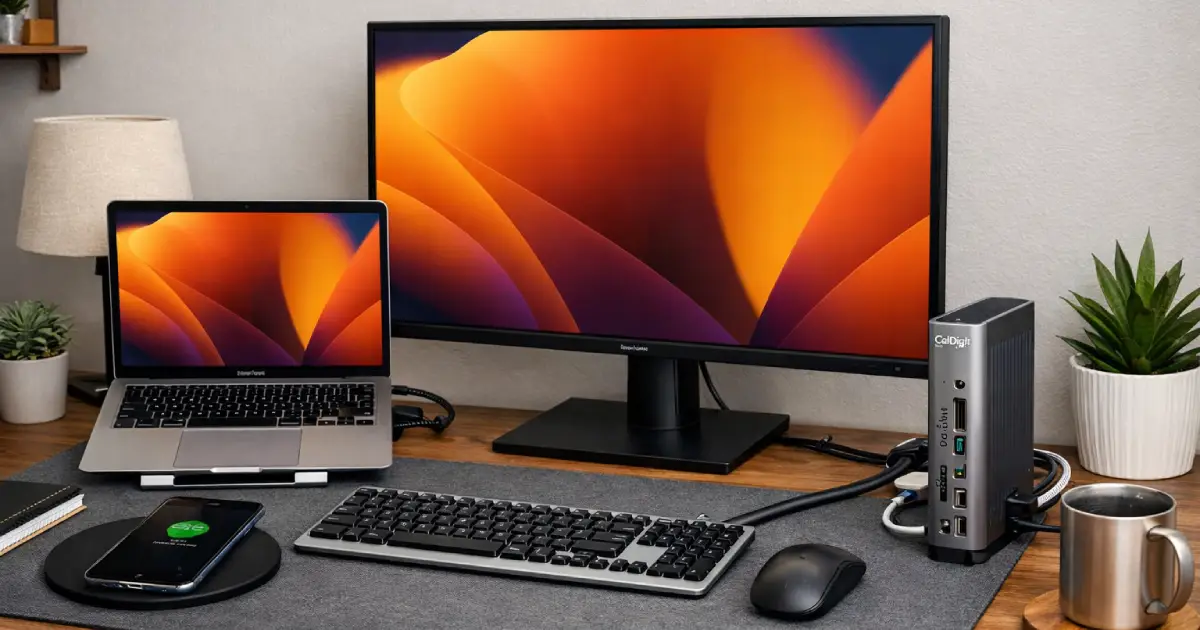
The Unsatisfying Truth About Your WFH Desk (And the One Device That Fixes It)
Stop fighting a daily battle with cables and dongles. Discover the single piece of hardware that transforms a cluttered table into a professional workstation in seconds.
The Daily Battle of the "Plug-In"
Picture this: It's 8:58 AM. You've just successfully negotiated a hostage situation involving a toddler and a banana. You slide into your desk chair for a 9:00 AM standup.
Now begins the ritual.
Find the laptop charger cord that fell behind the desk. Plug it in. Find the HDMI cable for the monitor. Plug it in. Locate the little USB-C dongle for your mouse. Plug it in. Realize your webcam isn't connecting. Unplug everything and start over.
By 9:03 AM, you're flustered, sweating, and your desk looks like a robot spaghetti explosion.
There is a better way. It’s not sexy, it’s not exciting, but it is the single most transformative piece of hardware for a WFH parent’s sanity: The Thunderbolt Docking Station.
Why a Docking Station is Non-Negotiable
A docking station is the difference between working from a laptop on a table and working from a professional workstation. It acts as a permanent "brain" for your desk setup.
All your peripherals—monitors, keyboard, mouse, webcam, microphone, ethernet cable, external hard drives—plug into the dock, not your laptop.
When you sit down to work, you connect one single cable from the dock to your laptop. That's it.
Instantly, your screens light up, your mouse connects, your internet is hardwired, and your laptop starts charging. You go from "parent mode" to "pro mode" in three seconds flat.
The Parent-Specific Benefits
- The "Quick Escape": When you hear a crash in the other room, you can unplug one cable and take your laptop with you immediately. No untangling required.
- Cable Management Magic: Kids are drawn to dangly wires like moths to a flame. A dock allows you to route all those cables neatly behind your desk once and never touch them again. Out of sight, out of mind, out of little hands.
- Reduced Friction: The mental energy required to set up your desk every day is energy you aren't using for work (or patience). Removing that friction is a massive productivity win.
- Saving Your Laptop Ports: Constantly plugging and unplugging cables wears down your laptop's ports over time. Using a single Thunderbolt connection protects your expensive machine.
What to Look For
Not all hubs are created equal. For a true "one-cable" solution that can handle a professional workload, don't cheap out on a simple USB dongle. Look for these specs:
- Thunderbolt 3 or 4: This provides the bandwidth needed to run multiple 4K monitors and transfer data at high speeds simultaneously.
- Power Delivery (PD): Ensure the dock provides enough wattage (usually 85W+) to charge your specific laptop while you work, eliminating the need for a separate laptop charger.
- Port Variety: Count everything you need to plug in now, then add two more ports for the future. Look for a mix of USB-A, USB-C, HDMI/DisplayPort, Ethernet, and an SD card slot.
The Essential Upgrade
After testing dozens of setups, this is the unit that consistently delivers the reliability and power needed for a serious home office.

CalDigit TS4, 18-in-1 Thunderbolt 4 Docking Station
This isn't just a hub; it's mission control for your desk. With one single cable, you connect dual 4K monitors, keep your laptop charged with 100W power delivery, and connect every peripheral you own through its 14 ports. It’s the robust, reliable heart of a professional WFH setup that just works, every single morning.
As an Amazon Associate, we earn from qualifying purchases. This helps support our blog at no extra cost to you.
 Trusted marketplace
The Final Verdict
Your desk environment directly impacts your mental state. A cluttered, chaotic setup leads to a cluttered, chaotic mind.
A quality docking station is an investment in order. It turns the act of starting work from a frantic chore into a seamless transition. And when you're balancing a career and a family, those few minutes of saved time and sanity every single day add up to something massive.
Stop fighting with your cables. Get a dock, plug in once, and get to work.